Updated April 2025
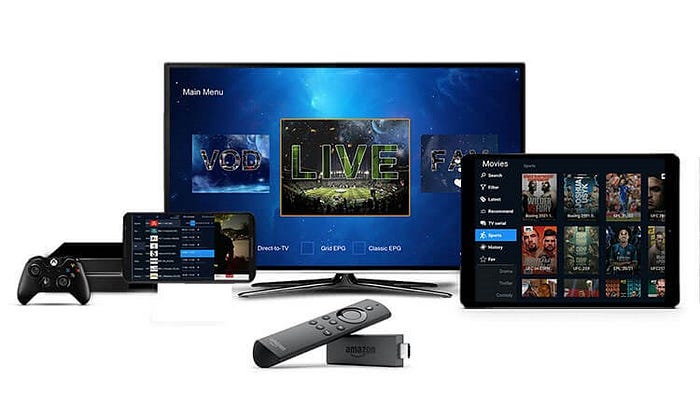
Looking for a cheap IPTV subscription UK with no buffering? This guide shows you how to install IPTV Smarters Pro on Android TV in under five minutes. Thousands of UK viewers choose proto iptv uk, and this guide explains why. over every other provider.

Get your Free Trial IPTV
What You Need
Android TV device – Sony, Hisense, Nvidia Shield, Mi Box, Chromecast with Google TV
Internet connection – 10 Mbps minimum for HD
Your proto iptv uk login details from your welcome email
Step 1 – Download IPTV Smarters Pro
Open the Google Play Store on your Android TV. Search IPTV Smarters Pro, select the app by Whmcs Smarters, and tap Install
App not showing in your Play Store? Use the Downloader app to sideload the APK. Enable Unknown Sources under Settings → Security first.
Step 2 – Add Your Account
Open the app and tap Add New User. Choose Xtream Codes API and enter your Server URL, Username, and Password from your welcome email. Then tap Add User.
Step 3 – Browse and Watch
Your channels load in under 60 seconds. Browse Live TV, Movies, Series, and 7-Day Catch-Up. Tap any title to start instantly. Use the built-in EPG to see what is on now and next.
No Subscription Yet?
Free 24-hour test line – no payment needed. Try every channel before you commit.
Why UK Viewers Choose proto iptv uk
No buffering – guaranteed
Intelligent load balancing and automatic backup streams activate within seconds if anything drops.
Dedicated UK servers
Faster load times routed through UK infrastructure — not shared European servers.
Instant activation – 24/7
Your account goes live within minutes, including weekends and bank holidays.
Best value plans for our servicde
3 Months – £19.99
6 Months – £29.99
12 Months – £49.99
Quick Fixes
Wrong credentials? Copy and paste directly from your welcome email or WhatsApp
Buffering? Switch to Ethernet. Change stream type to RTMP in app settings.
App crashing? Settings → Apps → IPTV Smarters Pro → Clear Cache → Restart.
EPG not loading? Settings → EPG Settings — confirm that you entered your EPG URL correctly.
FAQ
Does this work on Amazon Firestick?
Yes – download from the Amazon Appstore or sideload via the Downloader app.
Is there a free IPTV UK trial?
Yes. Contact protoiptv.uk for a free 24-hour test line before you pay.
How many devices per subscription?
One screen per connection. Multi-connection plans available on request.